Virtual makeup try-on, built for Saudi skin

Your customer tries Nadarh before buying your product.

One button on your product page.

Before Lipstick try-on inside Nadarh With Nadarh
Camera stays on her deviceNo app, no sign-upSalla · Zid

Where Nadarh appears in your store.

One button, added automatically under “Add to cart” on the product pages you choose. Your theme stays as it is; so does your cart.
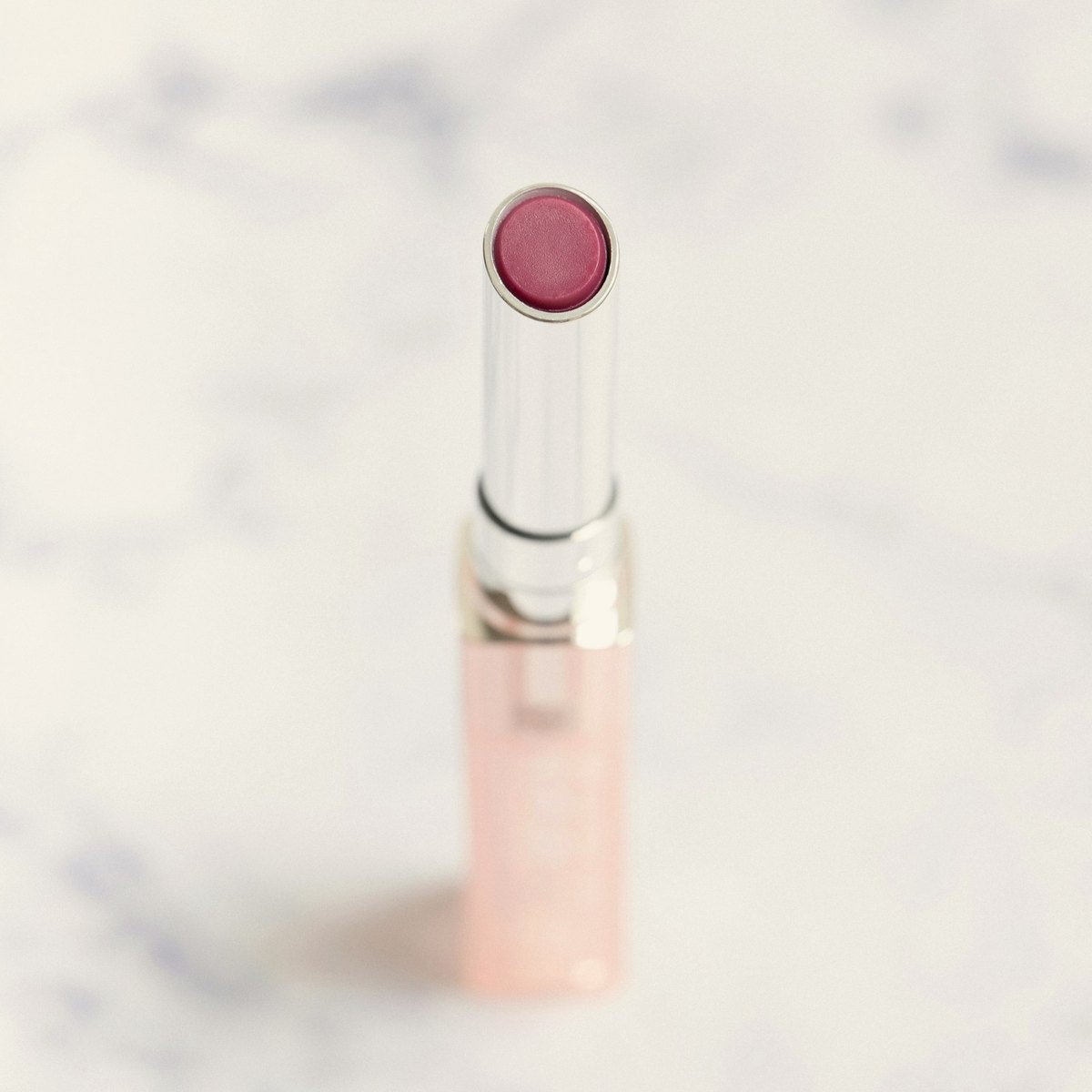
Lamsa StoreHome / Lips / Satin lipstick
Satin lipstick — Rose 39
89
Shade
Quantity
−1+
Add to cart
Try Nadarh
Added automatically
Free shipping on orders over 200

Her path, from the button to the cart.

1
She taps “Try Nadarh”

From inside the product page.

2
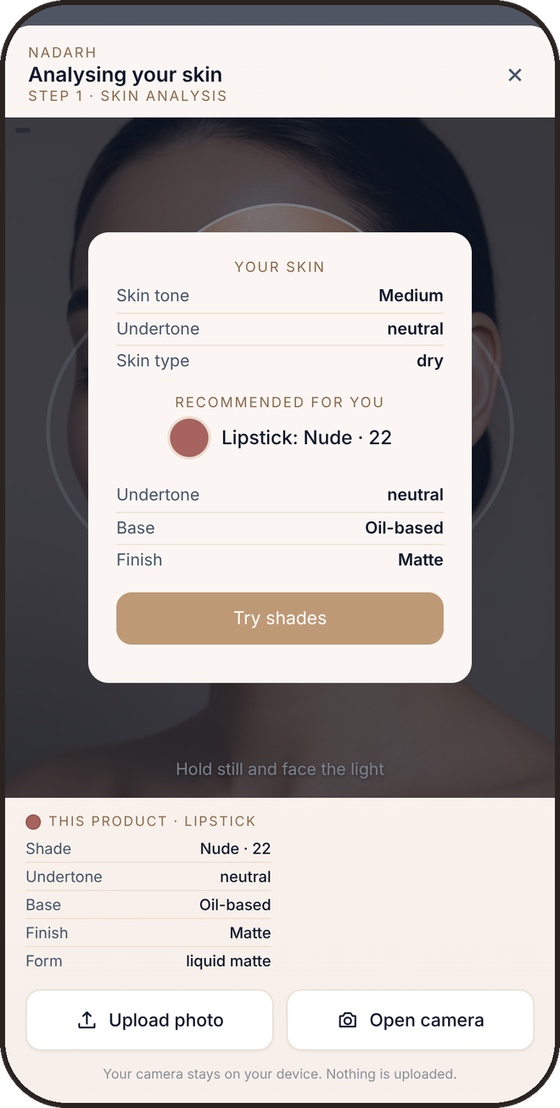
Her skin is analysed

Two seconds at the camera, on her device.

3
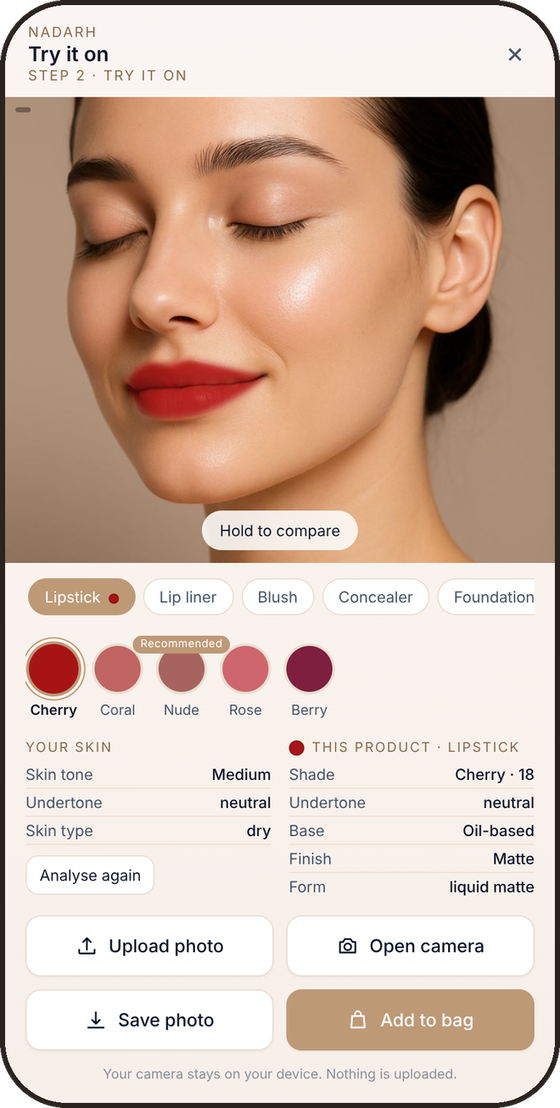
She tries the shades on her face

We recommend the shade that suits her; the rest are optional.

4
She adds to cart

Your own cart, and checkout as usual.


Skin analysis result
Shade try-on on the faceWith Nadarh

One dashboard. Three numbers.

Half of visits see the button, half don’t. You measure the difference yourself.
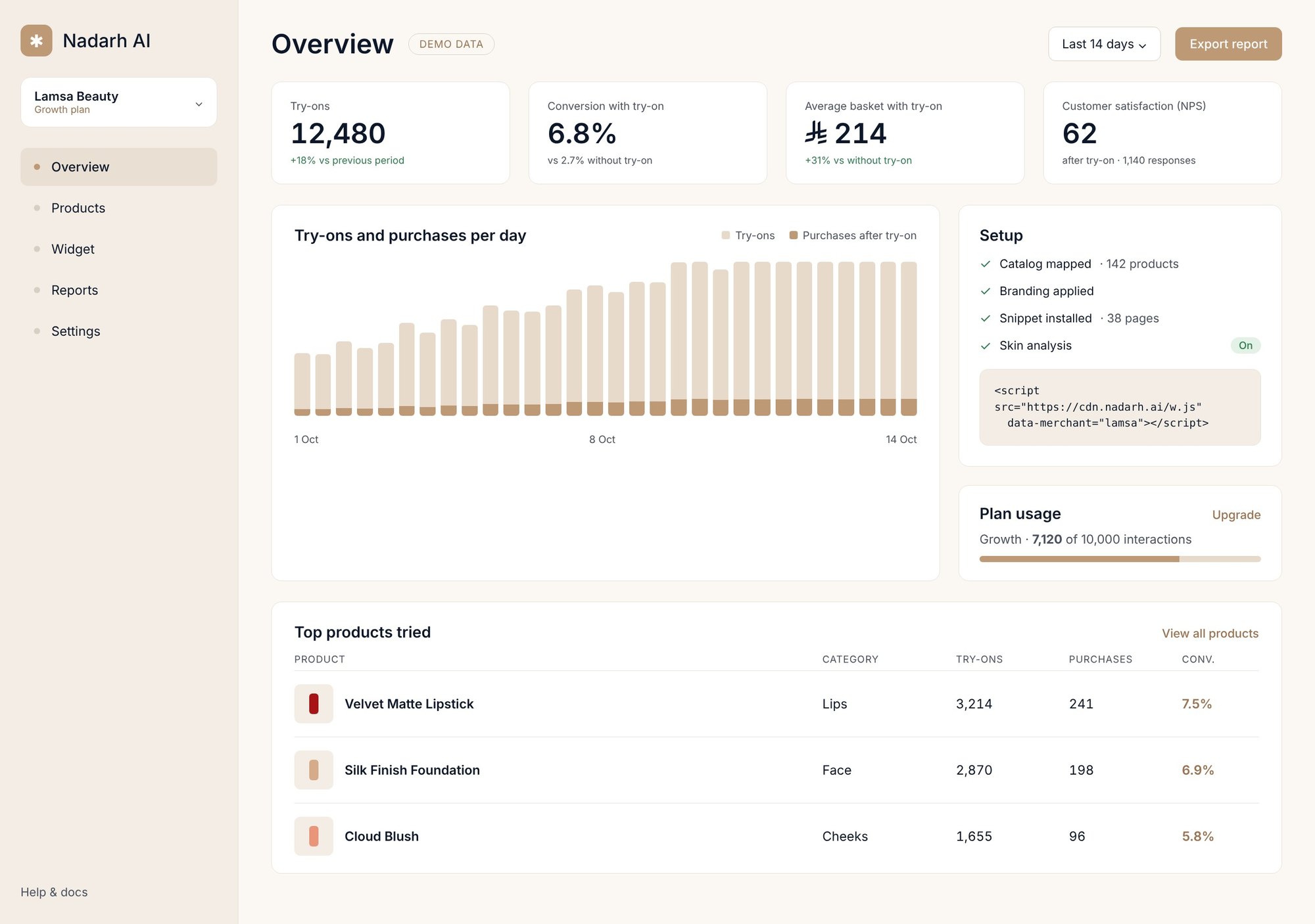
Conversion ratewith Nadarh / without
Average basketwith Nadarh / without
Customer satisfaction (NPS)after the try-on

Merchant dashboard: sessions, try-ons, conversion and NPS

How to start.

1
Book the pilot

Fill in the form below: your store URL, platform and email. We reply within one working day.

2
We connect your store

You install the Nadarh app from the Salla or Zid app store, and we pick the products that get the button with you.

3
Your product details with their colours

Send us your product details with their colours: product name, code, and one clear photo per colour. We measure each colour so it shows on her face as it does in real life.

4
The clock starts

14 days, with a dashboard of sessions, try-ons and orders attributed to Nadarh.

A 14-day trial on your products. Free.